

How do I create a QR code for my wedding website – quickly and for free?
Once you’ve put together the website for your wedding, you’ll want to send your guests invitations with a link to it. The easiest way to do that is to create a QR code for your wedding website.
Don’t worry: it’s completely free and takes just a few minutes. But in this post, we’ll also point out a few pitfalls you should definitely avoid.
How to create a QR code for your wedding website – quickly and for free
Here’s how to create your QR code in a few minutes:
- Open the website genqrcode.com. It’s a trustworthy service for generating QR codes free of charge.
- Enter the address (also called the “URL”) of your wedding website in the “URL” field and click the “Generate QR code” button.
- Below the large QR code image, you can now download the code in various image formats:
– Choose “PNG” if you’re not sure which one to use
– Choose “SVG” for a vector file if you’re designing your invitations in a graphics program like Illustrator or InDesign, or a graphic designer is preparing them for you. - 🎉 Done already! To make sure everything is fine with your QR code, you should test it, though.

How to test a QR code and avoid nasty surprises
Open the image file of the QR code you just created on your computer
Scan the code with your smartphone camera or a dedicated QR code scanner app:
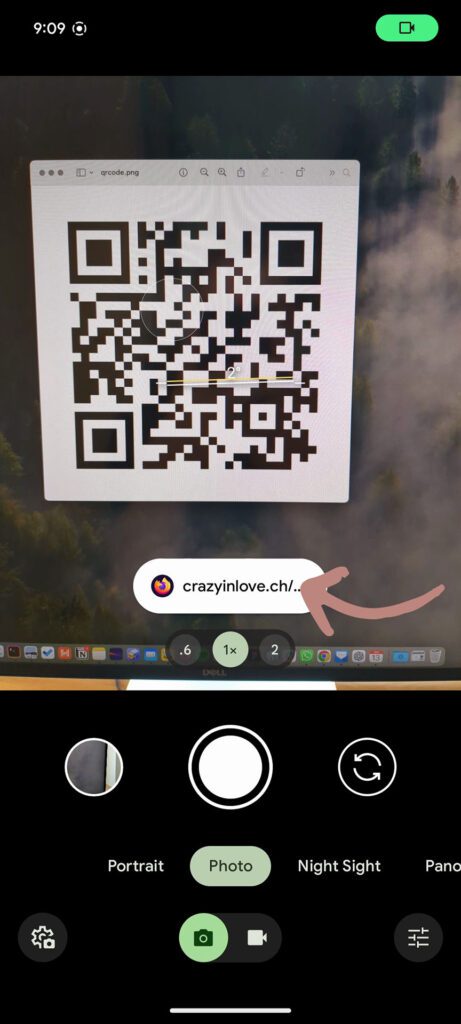
⚠️ Now look very closely before you tap: a small popup with the link appears. It must show your target address (e.g. the address used in the example above, https://www.crazyinlove.ch/ruth-und-aaron, or at least the beginning of it, i.e. “crazyinlove.ch…”). It’s fine if the popup looks a little different – that depends on your smartphone.
Watch out, this is super important: if the popup shows the address of the QR code generator instead of your target address, something’s wrong and you should definitely not use the code – even if it works in the next step!
If the target address is right, tap the link and check that the expected address opens. If it does, everything’s perfect – you can use the QR code with peace of mind.
Three mistakes you should absolutely avoid when creating a QR code
Rule #1: Beware of shady QR code generators
There are countless websites and apps for generating QR codes. Many of them call themselves a “Free QR Code Generator” and make a good first impression – but then start charging when you use certain features or after a few days, so you’re forced after the fact into a yearly subscription for $50 or more 😵
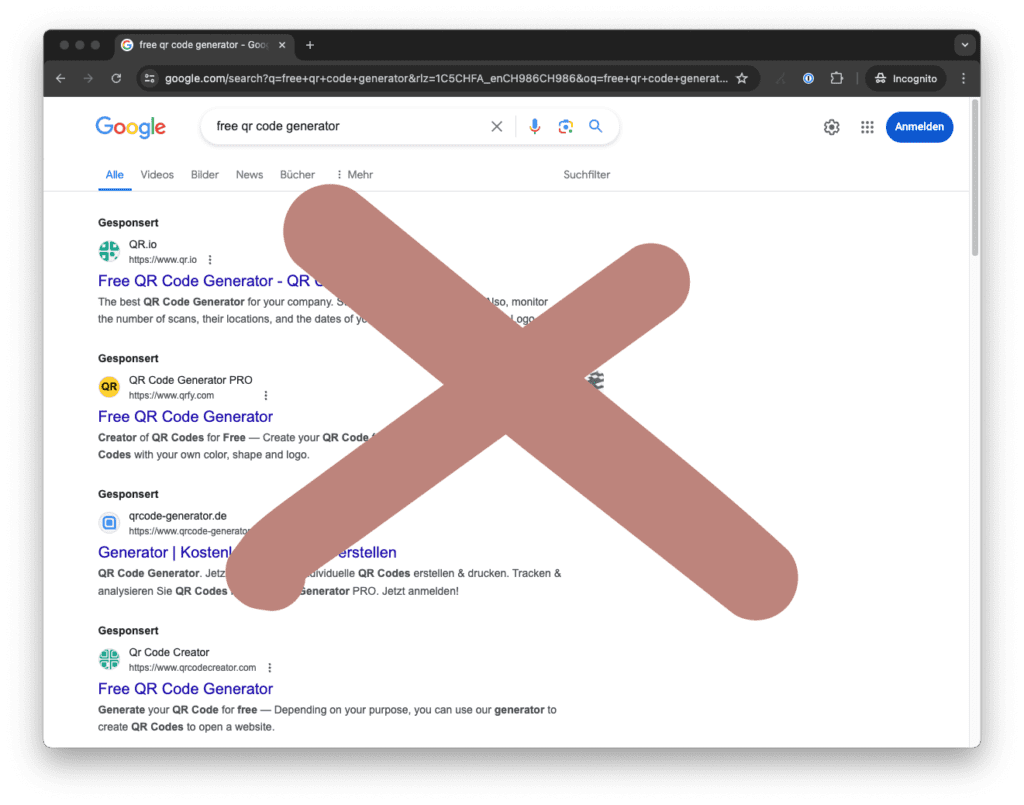
If you follow our tip above on how to test QR codes, you can spot the bad services:
🚨 Important: don’t use any service that sets its own generator URL as the target address of the QR code.
The only time you’d need that is if you want statistics on how often the QR code is scanned – and in that case, make sure you check the chosen platform’s prices beforehand.
Rule #2: Keep the target address as short as possible to make the QR code easier to scan
The shorter your target address, the less information has to be packed into your QR code. That means the QR code scanner can read it faster and more reliably.
So make sure, for example, that you don’t leave any unnecessary extras on the end of your URL.
You could shorten this address “https://www.crazyinlove.ch/ruth-und-aaron#slice-692”, for example, by changing it to “https://crazyinlove.ch/ruth-und-aaron”.
And of course, test carefully that the shortened target address actually opens 🙃
Rule #3: Don’t use QR codes in the wrong places
A QR code is perfect for your printed invitation, for example. Most people scan it with their smartphone and land right on your wedding website.
QR codes don’t make sense in a WhatsApp message, for instance. If you want to send your wedding website in digital or mobile messages, include the link itself rather than the QR code. After all, the message will most likely be read on a smartphone – and then there’s no way to scan the code with it.
💡 Here’s a tip: always put your URL next to or below the QR code as well. That way, people can either scan the code or type in the URL themselves.
🧠 Further reading: how does a QR code actually work?
QR codes are little boxes of wonder that can do quite a lot. Did you know, for example, that a QR code can still work even if up to 30% of it is damaged and unreadable?
Dan Hollick has written a wonderfully entertaining article about how QR codes came about, how they’re built and how scanning works:
Crazy in Love – your simple wedding website with no hidden costs
With our platform Crazy in Love, you can put together a beautiful wedding website. You can try out every feature for 20 days without paying anything up front or entering your credit card details:
If you like what you see, you pay a fair one-off amount – there’s no subscription!
📼 Discover Crazy in Love on video: “Create a wedding website in 3 minutes”.
Wondering how to create a beautiful website for your wedding?
Then take a look at our helpful tips.
Credits
Thanks to Unsplash for the lovely cover photo!
